 Smartware
Student PayMobile experience
Student Pay
School payments, clear for every family.
School fees, services and installments for every child, followed and paid from one parent app.

- Type
- Mobile experience
- Platform
- Mobile app
- Sector
- Education
- Capabilities
- 9
Where Student Pay fits
Parents piece together fees, services and installments from scattered invoices and messages, with no clear view of what each child still owes.
Student Pay is a school-payment and student-management experience for parents and guardians.
It brings families and schools together in one place: parents add each child, browse schools and grade levels with their fees, choose extra services such as uniforms, books and transport, and see how many installments are paid, how many remain and what is still due. Fees can be paid in full or split across an installment plan, with discounts shown clearly along the way. Every payment leaves an invoice that can be previewed before paying, then viewed and downloaded afterwards.
Every piece of Student Pay
9 capabilities that lock together into one experience.
Student Profiles
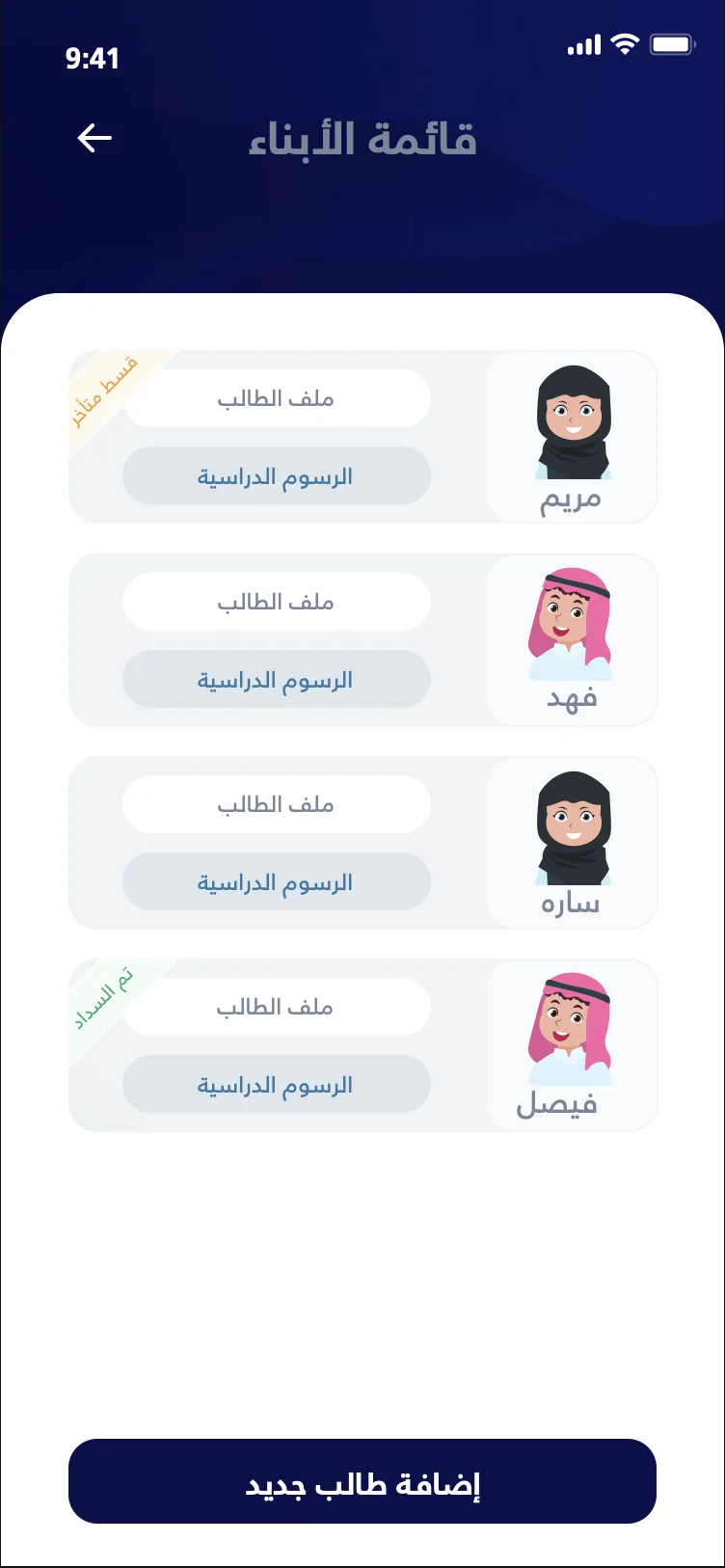
Add one or more children and keep a separate profile with each child’s school and payment information.
School & Fee Discovery
Browse schools, their educational levels from kindergarten upward, and the tuition for each level.
Additional School Services
Choose extras such as uniforms, books and one-way or two-way transportation.
Installments & Balances
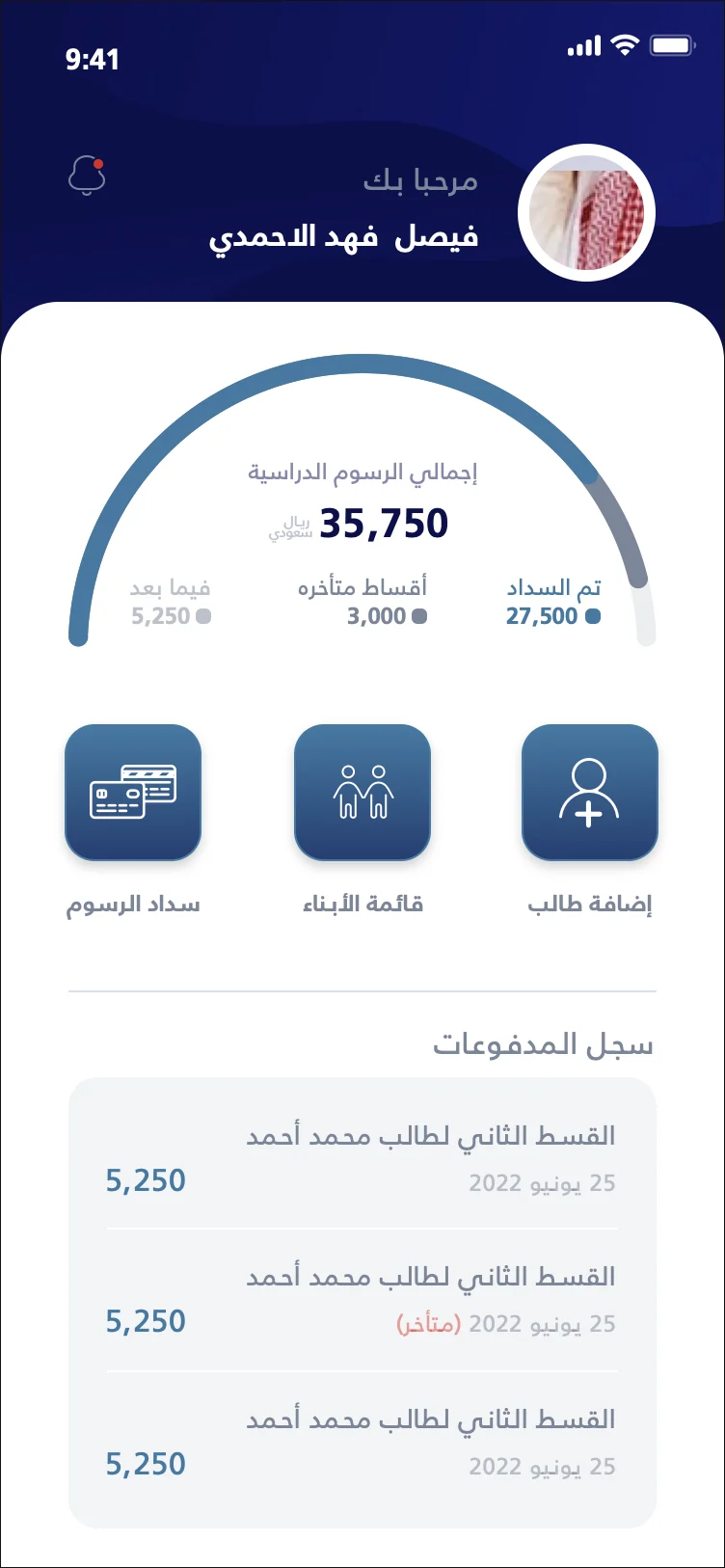
See the number of installments, what has been paid, what remains and the amount still due for each child.
Payments & Installment Plans
Review the payment details, then pay the fees in full or split them into an installment plan that suits the family.
Invoices & Receipts
Preview the invoice before paying, then view and download it afterwards.
Discounts
Discounts applied to fees and services are shown clearly and reflected in every payment and invoice.
Dashboard & Quick Actions
A home screen with the number of children, key figures and quick actions such as adding another child.
Secure Access & Settings
OTP and biometric sign-in, password recovery, Arabic and English, profile, notification and color preferences.
Built for
The people Student Pay serves, and what each of them gets.
Parents & guardians
Every child’s fees and services, clear and payable.
- Profiles for each child
- Installments & balances
- Invoices & receipts
Schools
Present what families need to know in one place.
- Levels & tuition
- Optional services
- Discounts shown on every invoice
Inside Student Pay
Key screens of the experience.
- Children
- Home
- Fees & installments
From enrolment to receipt
Add a child
Create a profile for each son or daughter.
Find the school
Compare schools, levels and tuition.
Choose services
Add uniforms, books or transport.
Pick a plan
Pay in full or split into installments.
Pay & keep the invoice
Pay in the app and download the receipt.
Building something like this?
Tell us about the experience you have in mind. We will show you how we would approach it, from the first workshop to the finished product.