 Smartware
SSOPortal
Internal Portal
One sign-in. Every application.
One secure sign-on to every organizational application, with identity and access managed in one place.
- Type
- Portal
- Platform
- Web portal
- Client
- Takamol Business Services
- Capabilities
- 9
- Status
- Delivered
Where Internal Portal fits
Every system has its own login, access is granted one application at a time, and nobody has a single view of who can reach what.
The Internal Portal (SSO) gives every employee one secure front door to the organization’s applications.
People sign in once and reach every system their role allows, while administrators register new applications, manage identities and control access centrally. It integrates with Active Directory for authentication, organizes connected systems by domain, and gives super-admins the oversight they need for monitoring and compliance. Customizable settings and dark and light themes make it comfortable for everyone who uses it.
Every piece of Internal Portal
9 capabilities that lock together into one platform.
Single Sign-On
Sign in once and move between every connected application without logging in again.
Multi-Application Hub
Register as many applications as the organization needs and show each person the ones their role allows, from one landing page.
Identity & Access Management
Manage identities, permissions and access to every connected application from one central place.
Active Directory Integration
Authenticate and authorize users across systems through Active Directory or a similar directory service.
Domain & System Management
Organize connected systems by domain, with domain-specific settings and options to add, update and list systems.
User & Role Management
Create, modify or deactivate accounts and define roles whose permissions control exactly what each person can reach.
Master Accounts
Super-admin accounts with global control over the portal for monitoring and compliance.
Settings & Configuration
Customize the portal’s features, appearance and workflows to suit the organization.
Dark & Light Themes
Let people switch between dark and light themes for a comfortable, personal experience.
Built for
The people Internal Portal serves, and what each of them gets.
Employees
One sign-in to every application they need.
- Single sign-on
- Personal application hub
- Dark & light themes
IT administrators
Control who can reach what, centrally.
- Applications, domains & systems
- Users & roles
- Active Directory integration
Super-admins
Oversight for monitoring and compliance.
- Master accounts
- Global settings
- Access reviews by role
Inside Internal Portal
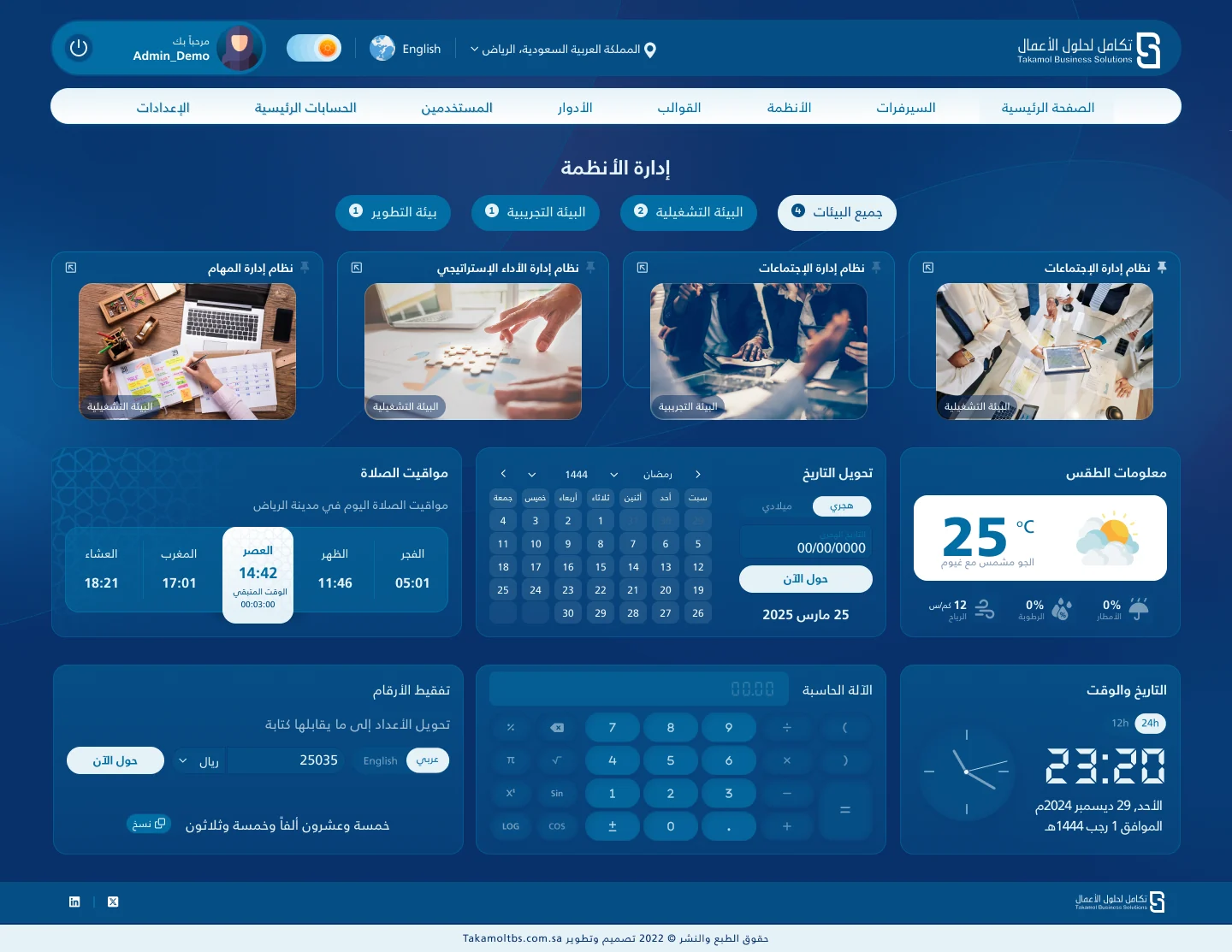
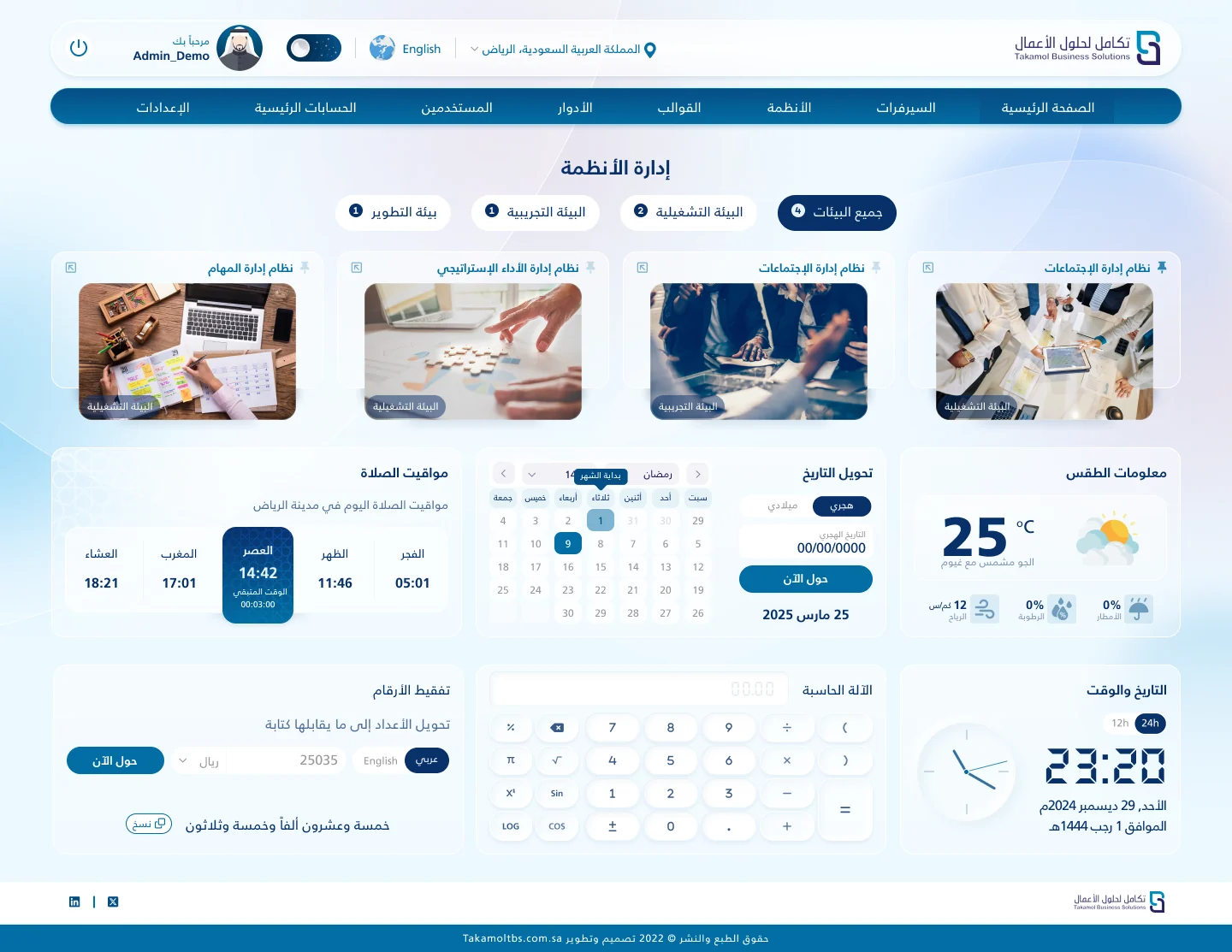
Real screens, the way people use them every day.
Application hub
Application hub, dark theme
One sign-in, every application
Sign in once
Authenticate through Active Directory.
Land on the hub
See every application your role allows.
Open any app
Move between systems without logging in again.
Manage access
Admins grant and change access by role.
Stay compliant
Master accounts keep oversight across domains.
Need something like this?
We built Internal Portal for Takamol Business Services. Tell us what your organization needs and we will show you how we would build it for you.